More demo polish
Go beyond capture with timeline edits, cursor focus, caption overlays, privacy masks, and export-ready framing.
 RecKitFeatures
CleanShot X alternative
RecKit is built for the step after recording: trimming a walkthrough, adding captions, guiding attention, masking private UI, and exporting a polished product clip.
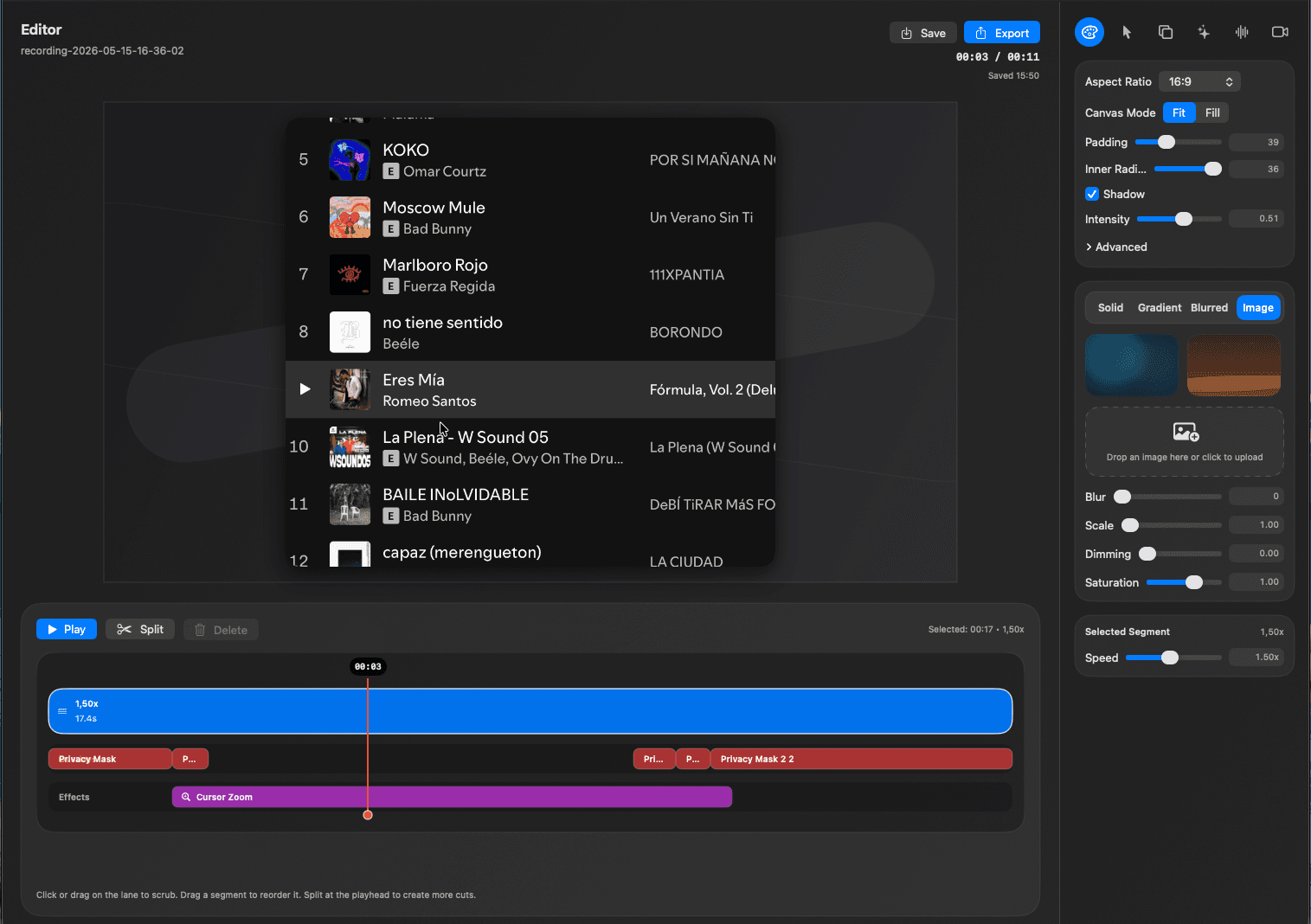
Edit pass
CleanShot X is popular for Mac capture. RecKit is the better fit when the job is a polished product demo, quick product update, or support clip with captions, cursor focus, privacy cleanup, and a finished frame.
Go beyond capture with timeline edits, cursor focus, caption overlays, privacy masks, and export-ready framing.
Make UI details readable and easy to follow when the final video needs to teach or sell a feature.
Keep the workflow lightweight and local when you need a quick product walkthrough rather than a full editor.
Use cases
Use RecKit when you are capturing the screen and shaping the recording into a product story, support answer, or concise async update.
RecKit is not affiliated with CleanShot X. This page helps Mac users choose between capture-first and demo-polish workflows.
Timeline cleanup for walkthroughs
Captions for silent playback
Cursor autozoom for small UI
Download RecKit when your screen recording needs to become a finished demo, quick update, or support clip instead of just a saved capture.
More focused pages for the same RecKit workflow.