Visual-first demo polish
Guide attention with cursor autozoom and canvas framing instead of treating the demo like a transcript-first edit.
 RecKitFeatures
Descript alternative
RecKit focuses on the screen: cursor movement, small UI details, captions, masks, canvas framing, and the short edit pass that makes product demos and quick updates easier to follow.
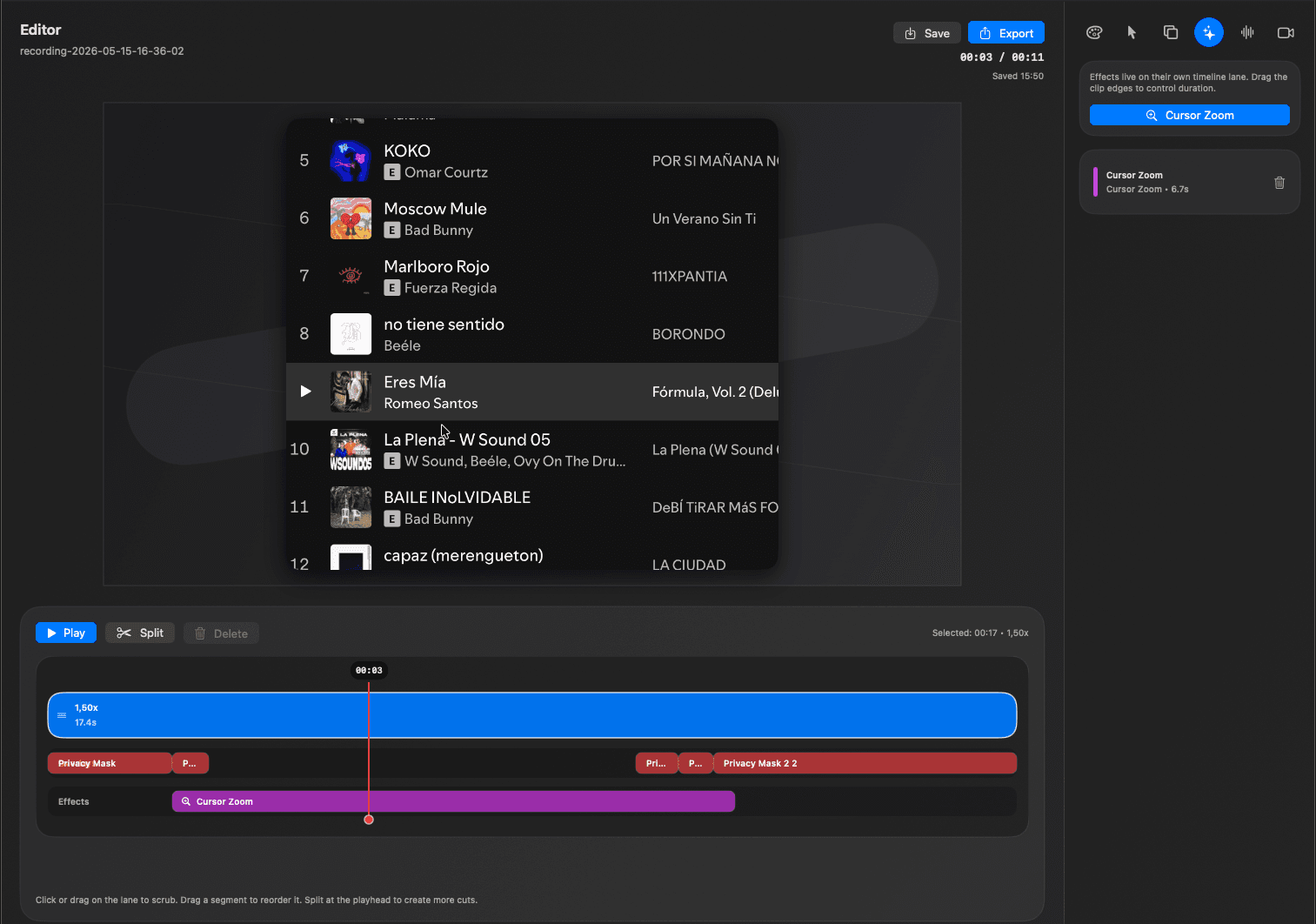
Edit pass
Descript is strong for text-based audio and video editing. RecKit is better suited to product demos and async product updates where the viewer needs to follow UI actions, cursor focus, and visual context.
Guide attention with cursor autozoom and canvas framing instead of treating the demo like a transcript-first edit.
Add bold captions for silent autoplay while keeping the screen recording timeline editable.
Trim and mask unreleased product UI before deciding where the final clip should be shared.
Use cases
When the important part is a button, workflow, setting, dashboard, or UI change, RecKit keeps the editing tools centered on the screen.
RecKit is not affiliated with Descript. This page is for product teams comparing transcript-first editing with screen-demo polish.
Screen-first editing workflow
Cursor autozoom for UI clarity
Captions for silent playback
Download RecKit when the product screen, cursor, captions, and final frame matter more than a transcript workflow.
More focused pages for the same RecKit workflow.